SOPs technicians actually follow — because they can actually see what you mean
Build polished, photo-backed procedures with document control, revision history, and safety information built in — then export a finished PDF ready to attach to the job.
A procedure only earns its keep if someone follows it
A Standard Operating Procedure exists to capture the knowledge that currently lives in one experienced technician’s head, and make it repeatable by anyone — the correct sequence, the safety step that’s easy to skip under time pressure, the torque spec nobody quite remembers, the “gotcha” that caused a comeback last time.
But a wall of unformatted text buried in a CMMS attachment is easy to skim past and easy to misread. The gap between a procedure existing and a procedure being genuinely followed usually comes down to one thing: whether the technician can tell, at a glance, exactly what you mean.
A step that says “remove the guard” is ambiguous — which guard, which fasteners, in what order? Most sites either write procedures nobody reads past the first paragraph, rely on a photo pinned to a noticeboard that never makes it into the record, or leave the detail to tribal knowledge that walks out the door when the technician who knew it retires or moves on.
One picture removes an ambiguity a sentence can’t
Which guard? Which fasteners? What does “before proceeding” actually depend on?
Photo attached, callout flagged — nothing left to interpret.
Every SOP you need to write, well documented
What it does:
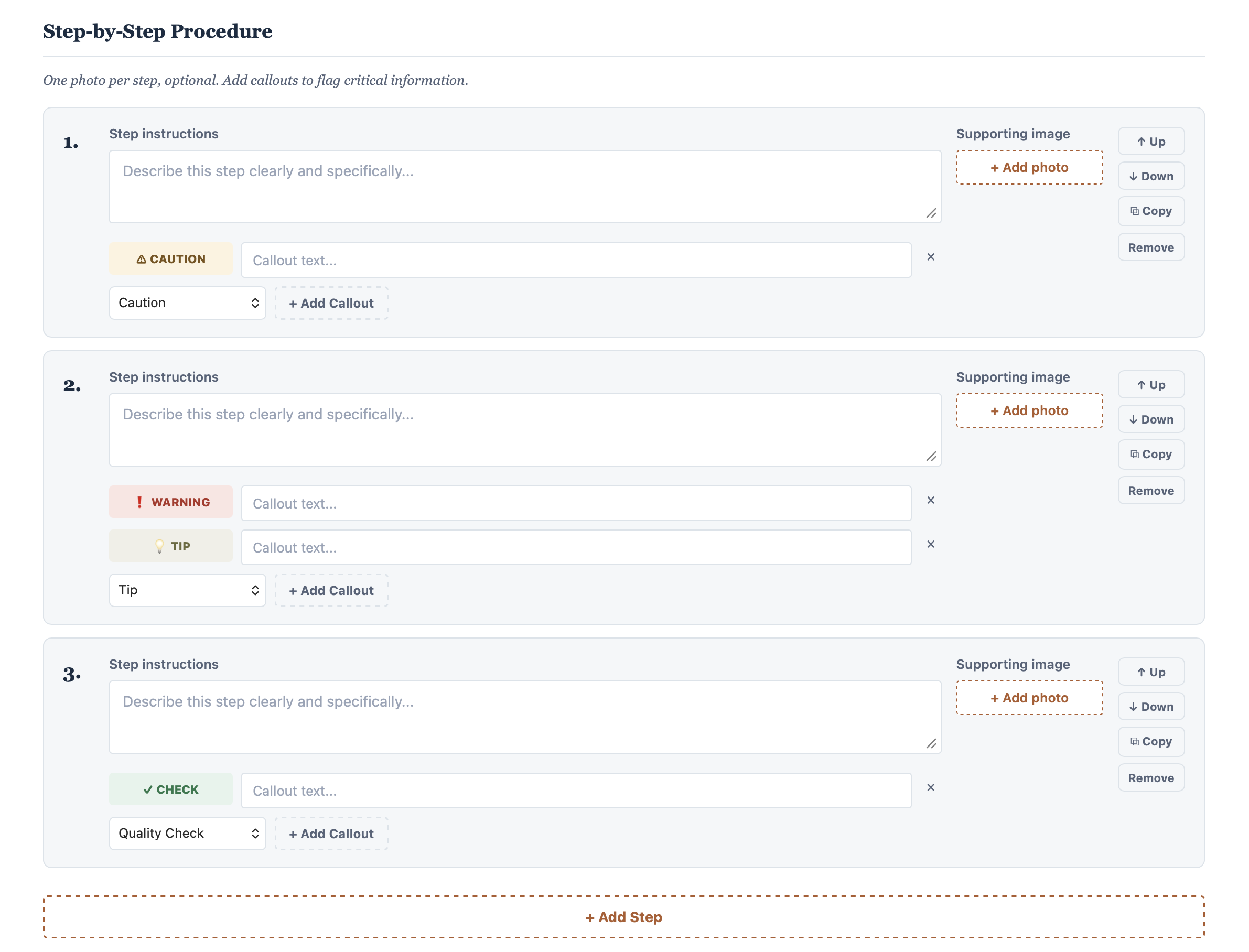
attach a photo to any step, and flag anything a technician needs to notice mid-step without breaking the flow of the instruction — Warning, Caution, Tip, or Quality Check, each colour-coded and impossible to skim past.
How it works:
add, reorder, duplicate, or remove steps freely as the procedure takes shape — nothing is locked in once you’ve started writing.
What you get:
this is the single biggest upgrade over the free tier — a procedure that’s followed more consistently, completed faster by less experienced technicians, and doesn’t generate a radio call asking “which one do you mean?”
What it does:
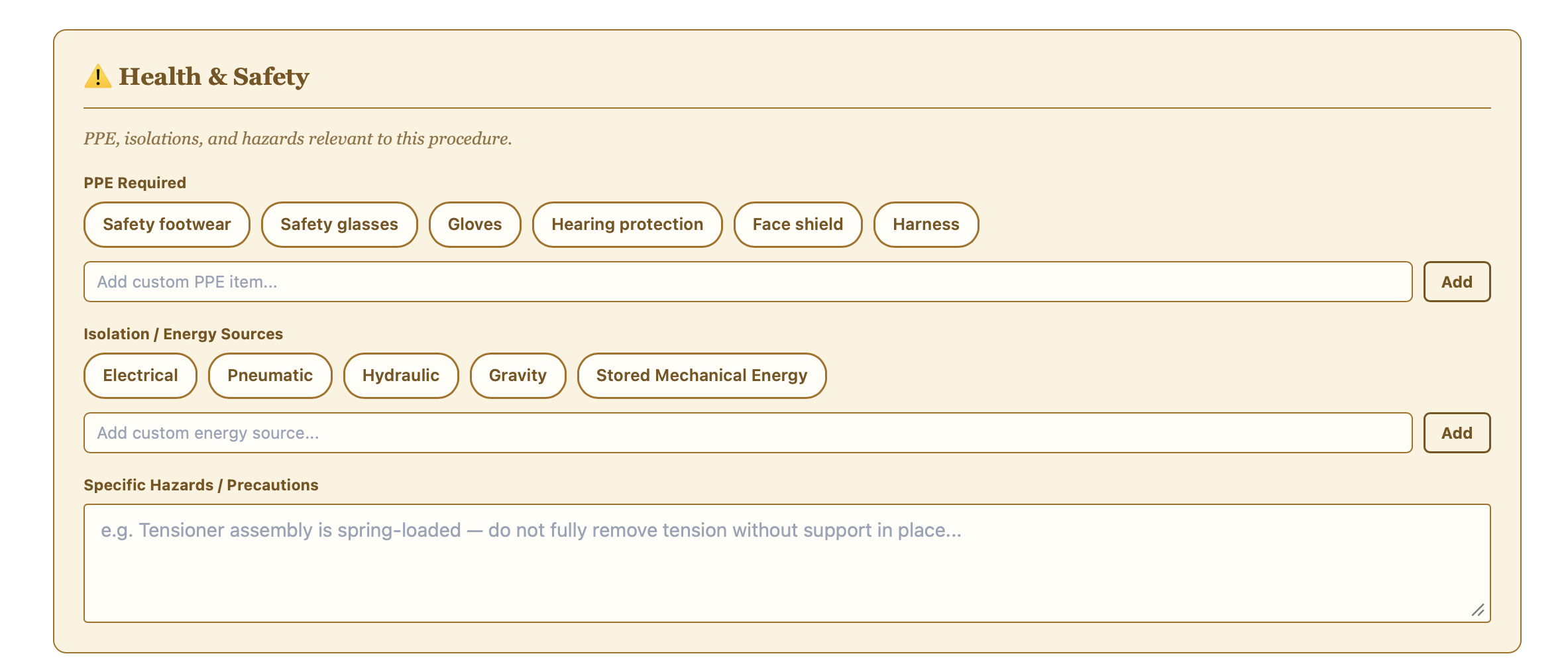
select PPE and isolation/energy sources from quick-add chips, or add your own in seconds — then note any specific hazards or precautions in plain text.
How it works:
safety sits ahead of the steps themselves in the finished document, not buried at the bottom where it’s easy to skip past.
What you get:
a consistent safety section on every procedure your team produces, without retyping the same PPE list from scratch each time.
What it does:
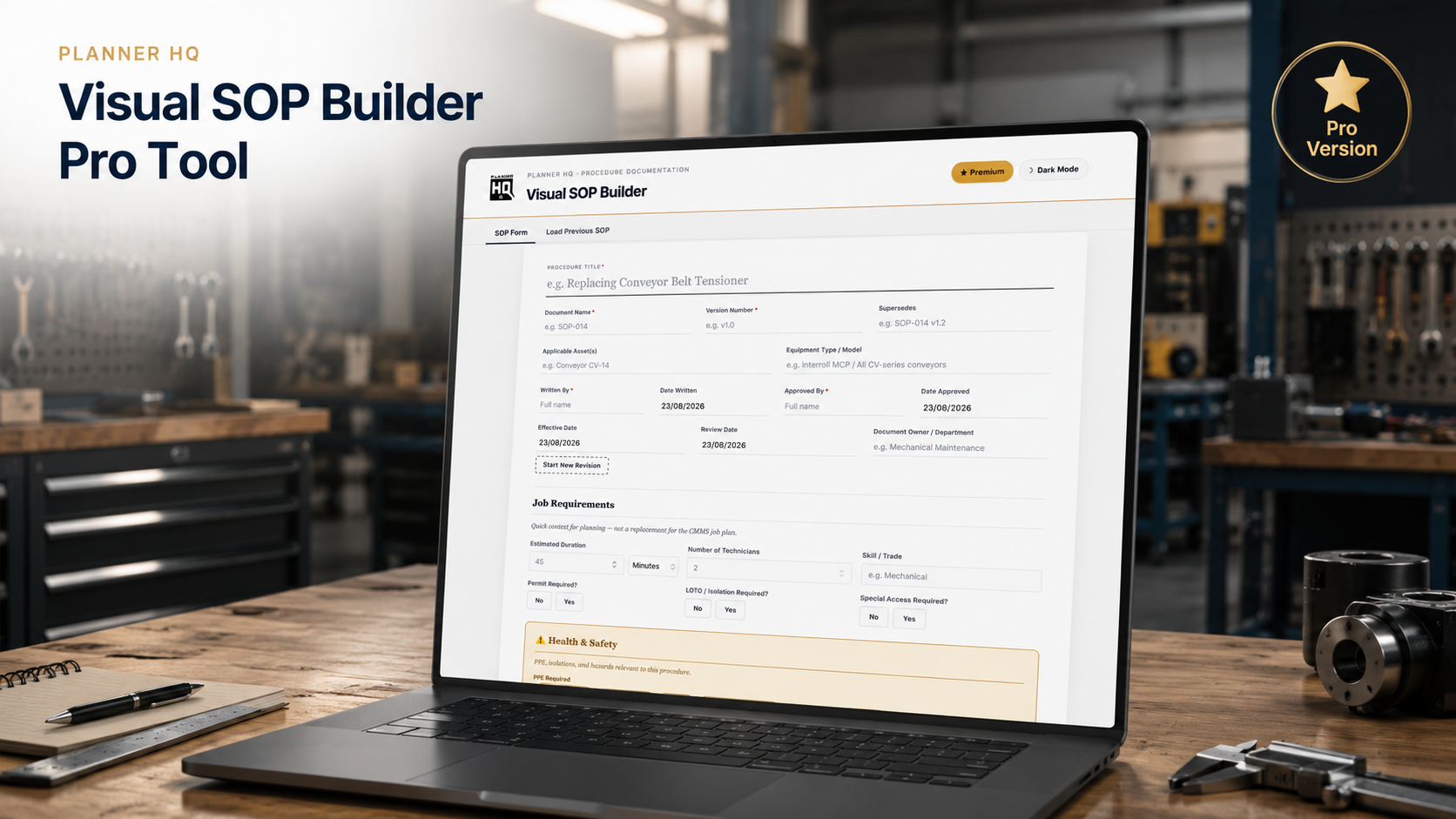
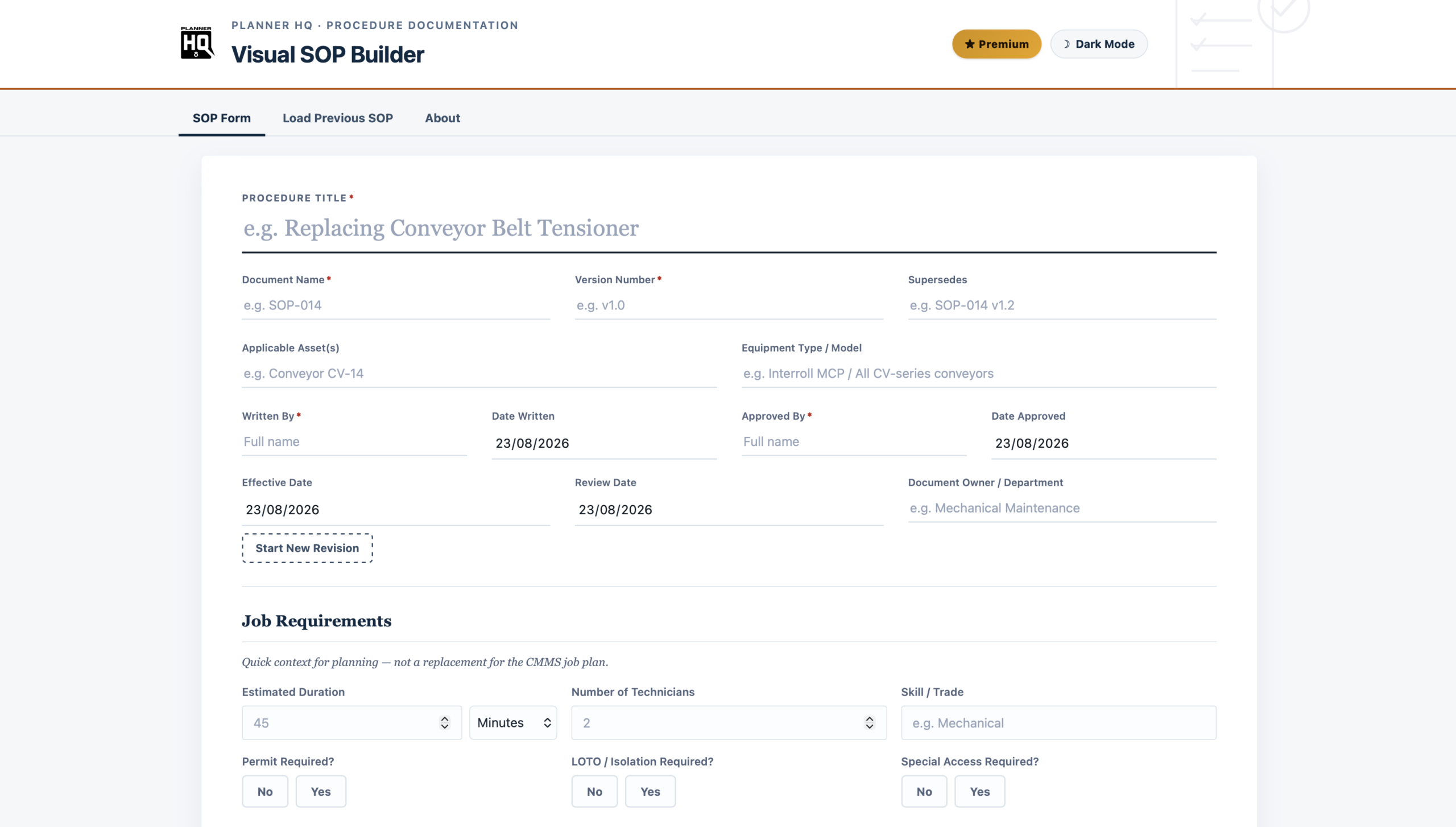
version number, written/approved by, effective and review dates, applicable assets and equipment type — every field a real document control process expects, in one place.
How it works:
Start New Revision carries forward the procedure content while resetting approval fields for the new version — no copy-pasting into a new file and losing track of what changed.
What you get:
every SOP built with this tool follows the same structure, so procedures age visibly instead of quietly going stale — one format, one standard, regardless of who wrote it.
What it does:
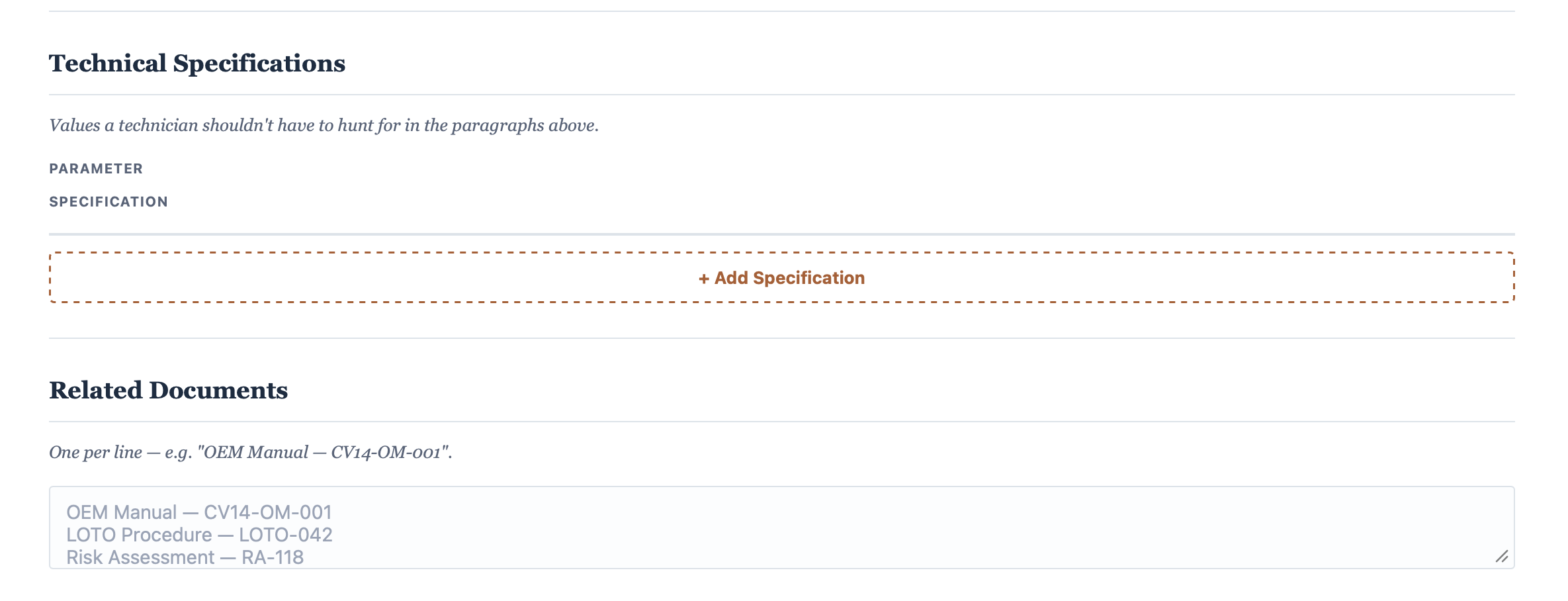
a dedicated Technical Specifications table for the values a technician shouldn’t have to hunt for in the paragraphs above — torque figures, clearances, settings — plus a Related Documents list and an optional digital reference link back to a CMMS record or OEM manual.
How it works:
a QR code linking to your digital reference is added automatically to the printed document, so a technician standing at the asset can scan straight through to the source.
What you get:
a genuinely finished, professional document to attach to your CMMS job plan — not a plain-text field nobody reads.
| ✓ | Unlimited steps, each with an attached photo and colour-coded callouts |
| ✓ | Full document control — version, approval, effective/review dates, revision history |
| ✓ | Health & Safety section with PPE and isolation quick-select |
| ✓ | Technical Specifications table, Related Documents, and Digital Reference with QR code |
| ✓ | Save and reload previous SOPs to update or duplicate |
| ✓ | Polished PDF export, ready to attach to your CMMS |
| ✓ | Light and dark mode |
| ✓ | Fully offline — works in any browser, no install, no login |
| ✓ | One-time purchase — no subscription, yours to keep |
Maintenance planners and reliability engineers writing procedures for real technicians to follow on the floor — building out a procedure library from scratch, replacing text-only SOPs nobody reads, or simply wanting every new procedure to look and read like it came from the same well-run maintenance function.