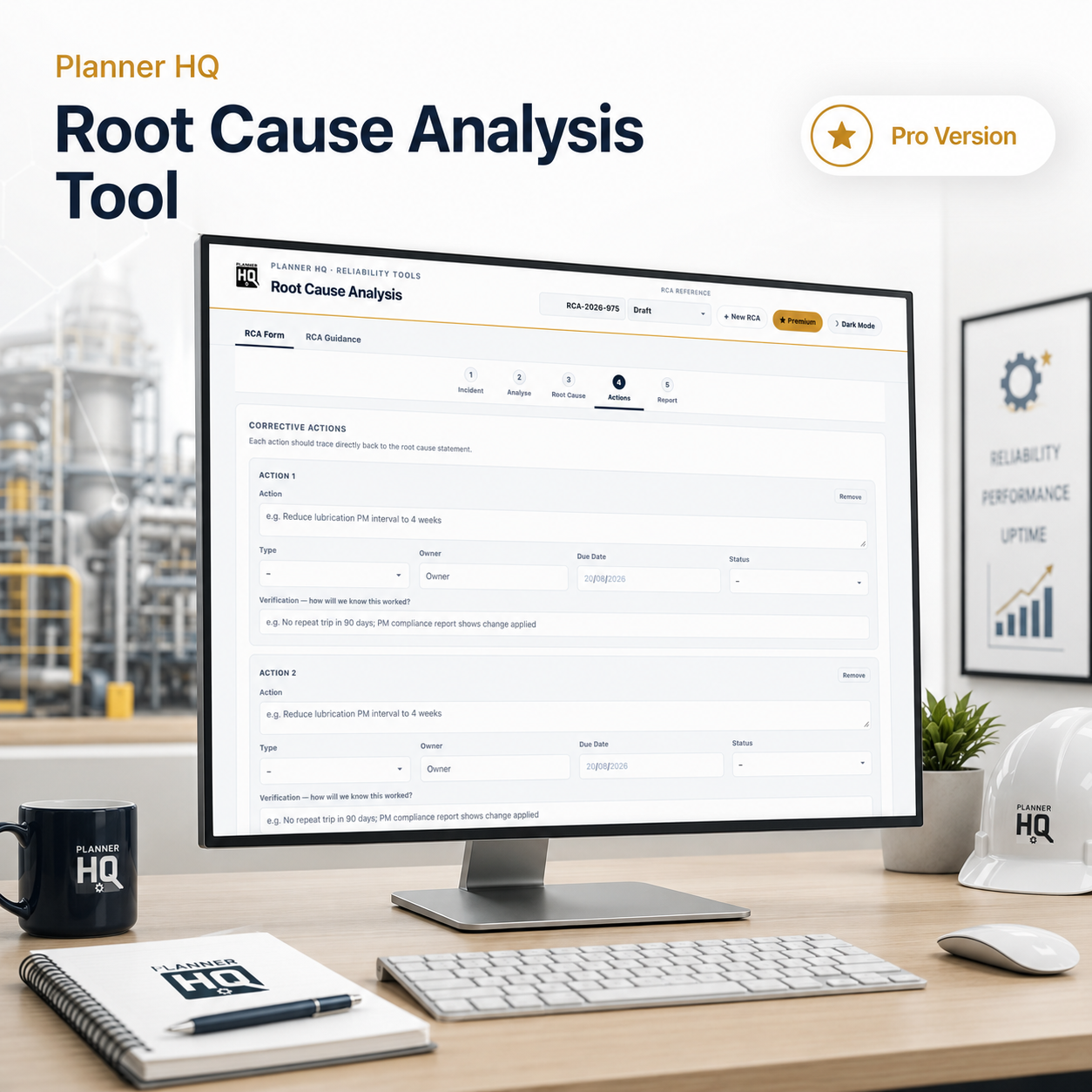
Stop treating repeat failures as inevitable
A structured five-stage investigation process that takes you from raw incident to confirmed root cause and documented corrective actions — then generates a clean PDF report ready to share with a manager or file for audit.
Most investigations stop at the symptom
The most common outcome of a failure investigation isn’t a root cause — it’s a corrective action that fixes the thing that broke, not the reason it broke. The bearing gets replaced. The seal gets swapped. The alarm gets reset. And three months later the same asset is back on the work order list.
Genuine root cause analysis isn’t just asking “why” once or twice — it means working through the full causal chain, checking sideways for contributing factors you might have missed, and landing on an underlying reason you can actually act on to stop recurrence. That takes a structured process, not a freeform notes field.
And when a failure comes back, or when a manager or auditor asks what was done about it, a structured, documented investigation is the difference between a defensible answer and a shrug.
Most sites either have no formal RCA process at all (investigation means the tech writes two lines in the work order), or run ad-hoc investigations that vary completely depending on who’s doing them that week. The result: corrective actions that address symptoms, no record of what was actually found, and the same failure recurring six months later with everyone slightly surprised. That doesn’t hold up when someone asks why the same asset has failed four times in two years.
Five stages. One complete investigation.
The tool mirrors a real investigation workflow — each stage builds on the last, and the colour-coded navigator lets you move back and forth freely as your thinking develops.
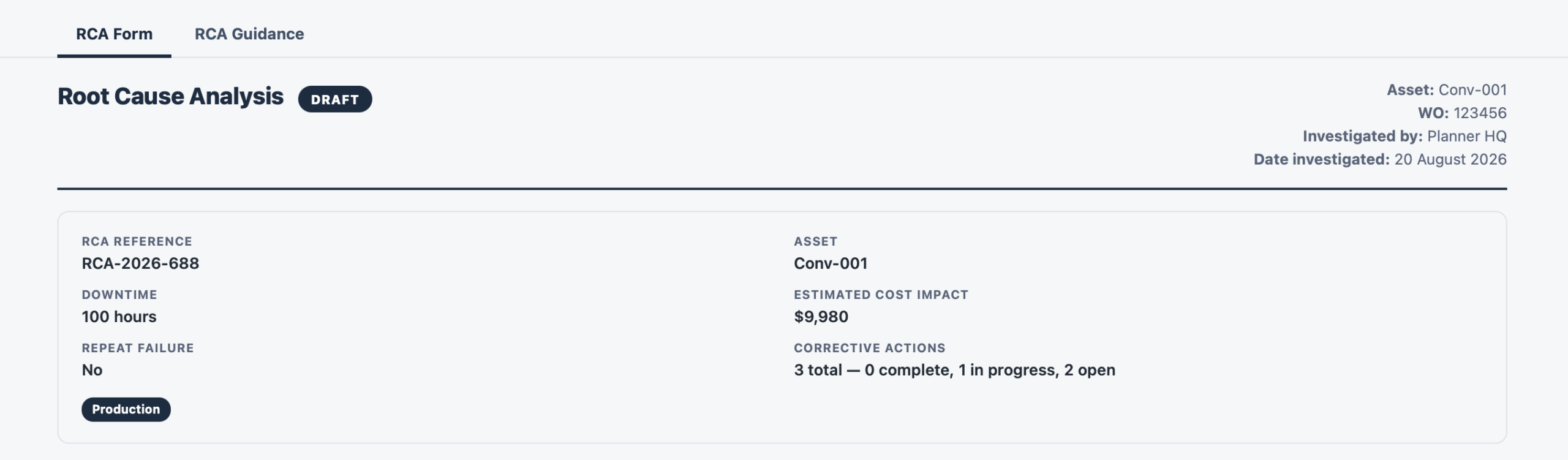
Asset, work order, dates, severity, downtime, cost impact, repeat failure flag
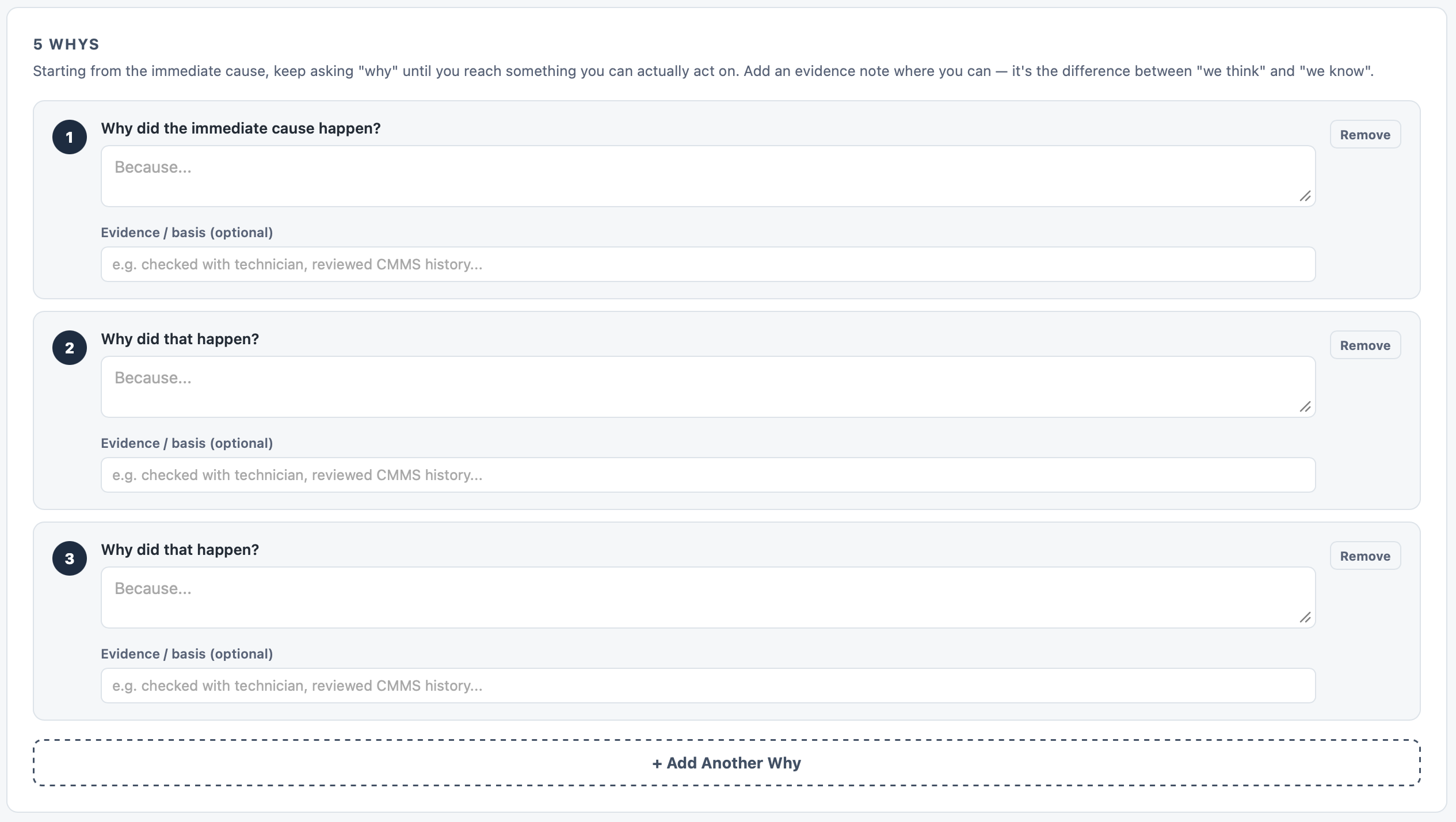
Problem statement, immediate cause, 5 Whys chain with evidence notes, 6M contributing factors
Confirmed root cause statement — the underlying reason, not just the last “why”
Corrective actions with type, owner, due date, status, and verification criteria
Full investigation report, export to PDF — shareable, fileable, audit-ready
On a smaller screen? Scroll sideways to see all five stages.
Built to close the loop, not just log the incident
What it does:
two complementary analysis methods in one tool — the 5 Whys follows the failure vertically down the causal chain, while the 6M Contributing Factors (People, Machine, Method, Materials, Environment, Measurement) scan horizontally for factors the Whys chain might miss. Each “Why” has an optional evidence note alongside it, because “the oil analysis confirmed contamination” is worth recording next to the why that depends on it.
How it works:
add as many Why steps as the investigation needs, each with a separate evidence field. For contributing factors, mark each of the six categories as Not a factor / Possible / Confirmed and add a note — the report captures the full picture, including factors that were ruled out.
What you get:
a documented causal chain with evidence attached, and a structured sideways sweep that makes it much harder to miss a contributing cause sitting in a different category to the one you were focused on.
What it does:
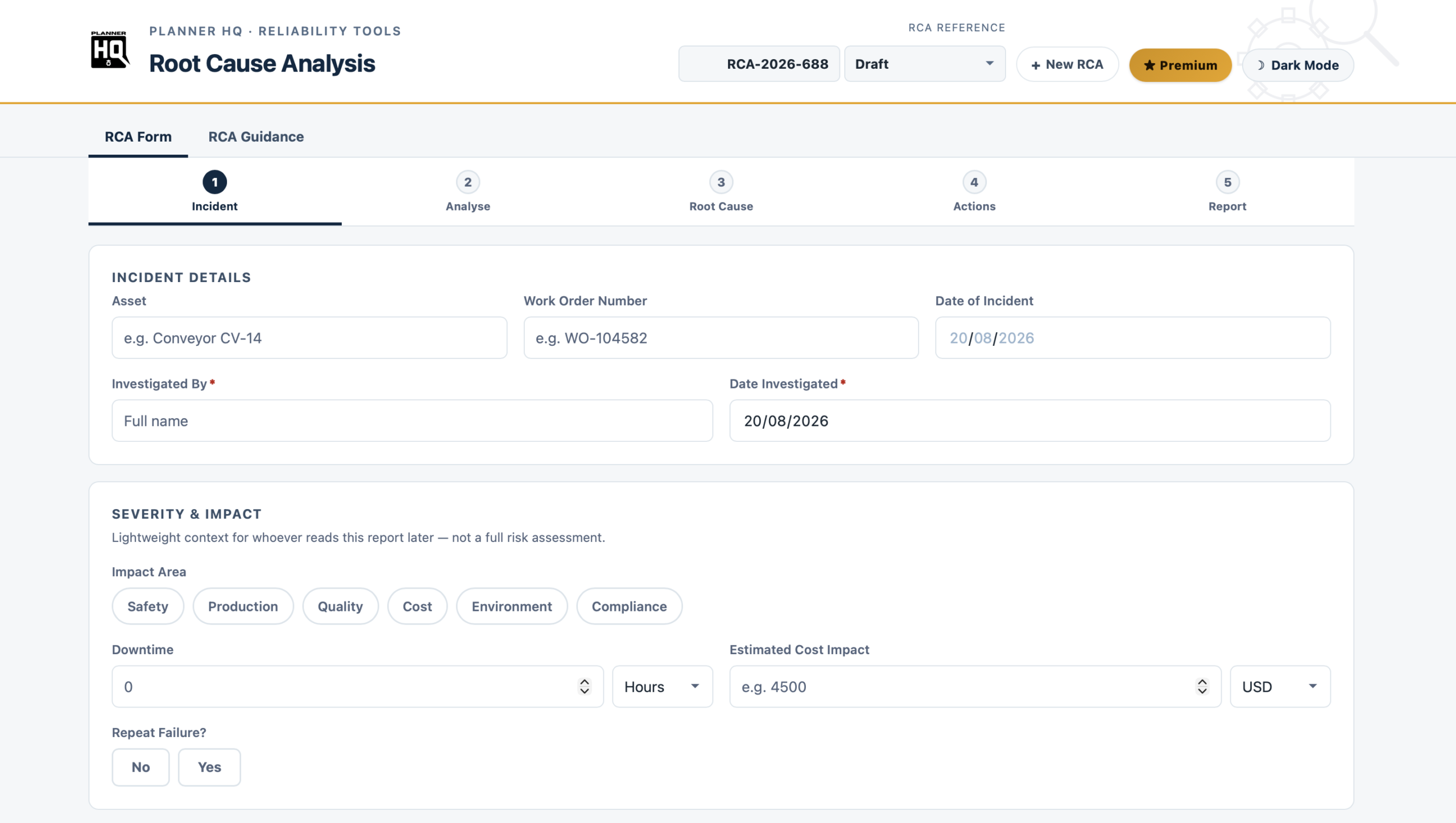
captures the asset, work order number, dates, and the name of whoever investigated — plus lightweight severity context: which areas were impacted (Safety, Production, Quality, Cost, Environment, Compliance), estimated downtime, estimated cost, and whether this is a repeat failure. Not a full risk matrix, just enough that whoever picks up this report six months later can judge how much it matters without having to track down the original investigator.
How it works:
the RCA Reference is auto-generated (e.g. RCA-2026-688) so every investigation has a unique, searchable identifier from the moment you open it. A status field (Draft / In Progress / Complete) means you can open a half-finished investigation without losing track of where it sits.
What you get:
a properly identified record that can be cross-referenced against a work order, attached to an asset history, or dropped into an audit trail — not an anonymous notes file with no context.
What it does:
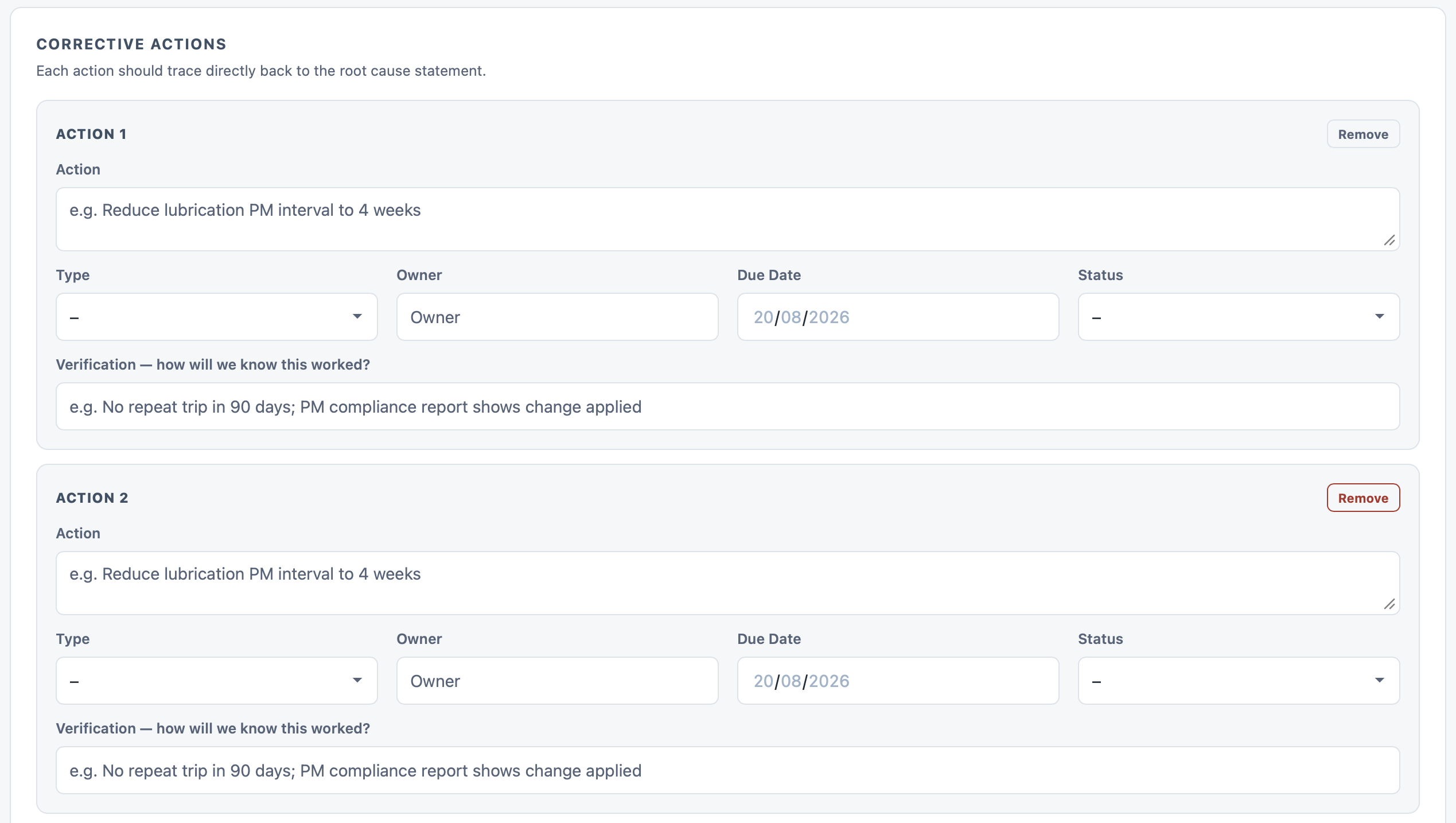
each corrective action has a description, a type (PM change / Work order / Training / Procedure update / Design change / Spare parts), an owner, a due date, and a status — but the field that matters most is the one most tools leave out: “How will we know this worked?”. Requiring a verification criterion for every action is what turns a corrective action list into something that can actually be closed out.
How it works:
add as many actions as the investigation needs. Each traces directly back to the root cause statement — if an action can’t be linked back to the stated root cause, it belongs on a different work order, not here.
What you get:
a structured action list with ownership and due dates captured, and a clear answer to “was this actually fixed?” that someone can verify later rather than assuming.
What it does:
Stage 5 assembles everything into a clean, structured report — incident summary, severity context, the full 5 Whys chain with evidence, contributing factor findings, the confirmed root cause statement, and every corrective action with its owner, due date, and verification criterion. One click exports it to PDF, entirely in your browser.
How it works:
nothing is uploaded anywhere. The PDF is generated locally, so the report — and the data inside it — never leaves your device. That matters when investigation records contain commercially sensitive information about asset failures and cost impacts.
What you get:
a document you can attach to a work order in your CMMS, email to a manager, print for a file, or present to an auditor — without having to reformat anything or retype from a notes field.
A second tab inside the tool walks through the investigation methodology at each stage — what good looks like, common mistakes at each step, and why following the process in order matters. It’s the kind of guidance that normally lives in a separate manual that nobody reads. Here it’s built into the same screen, colour-coded to match the stage you’re working on.
| ✓ | Five-stage guided investigation wizard |
| ✓ | 5 Whys chain with per-step evidence notes |
| ✓ | 6M Contributing Factors (Ishikawa) — People, Machine, Method, Materials, Environment, Measurement |
| ✓ | Corrective Actions with type, owner, due date, status, and verification criterion |
| ✓ | Auto-generated RCA Reference number and status tracking |
| ✓ | One-click PDF report export — browser-based, nothing uploaded |
| ✓ | Built-in RCA Guidance tab — methodology notes for every stage |
| ✓ | Auto-save — silently preserves your work in the browser |
| ✓ | Light and dark mode |
| ✓ | Fully offline — works in any browser, no install, no login |
| ✓ | One-time purchase — no subscription, yours to keep |
Maintenance planners and reliability engineers who need to investigate failures properly rather than just logging them, document root causes and corrective actions in a way that holds up under scrutiny, and build a record of investigations that can be revisited when the same asset fails again.